One repo or a whole org.
Give a pool to one repository, or share an organization pool and choose which repositories may use it with GitHub's runner groups.
Each job gets a fresh runner, used once, on your servers or in your
own cloud account. 1,000 ten-minute jobs on 4 vCPU Spot VMs cost about
$10 a month, against $120 on GitHub's 4-core runner. You
keep your workflows and change one runs-on line.
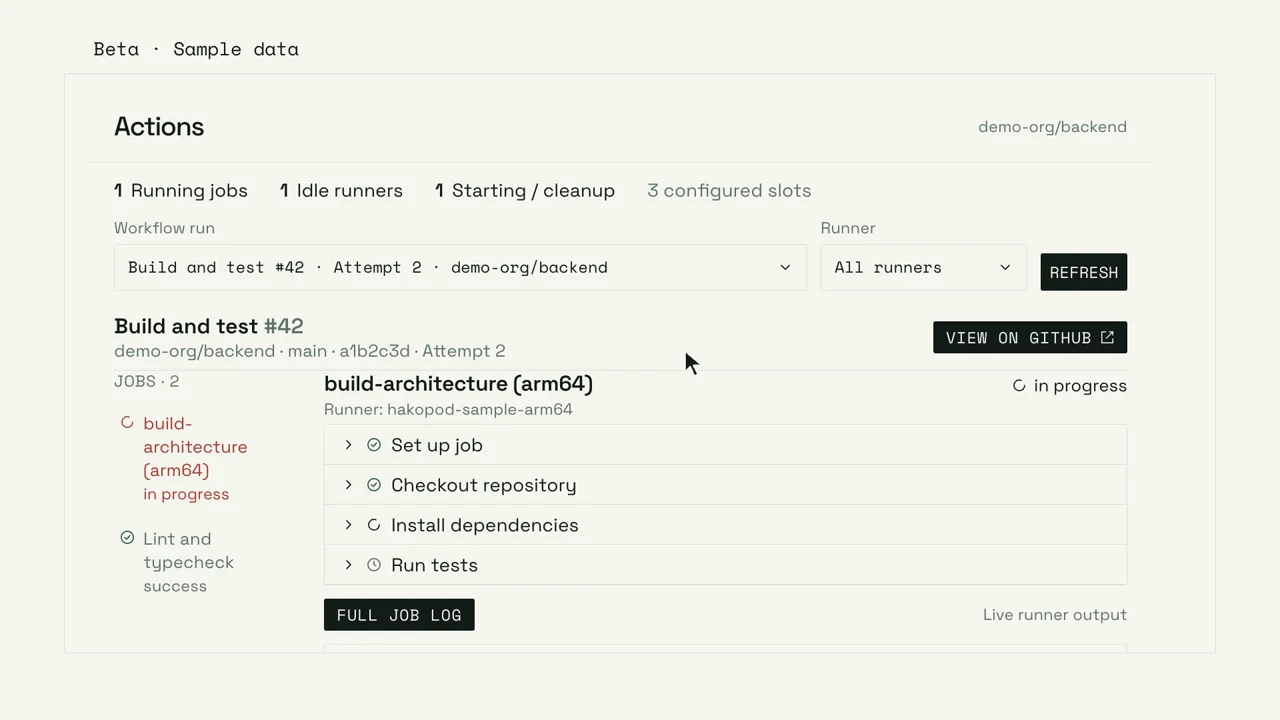
Follow a GitHub Actions workflow through a Hakopod runner, its steps and its job logs.
Beta · Illustrative UI · Music and on-screen text
Read film descriptionManaged Actions runs your GitHub Actions jobs on runners that Hakopod creates and removes for you. Each job gets a fresh runner that is used once: a sandboxed pod on your own servers, or a single-use VM in your own AWS, Google Cloud or Azure account. Your workflows stay in GitHub.
Give a pool to one repository, or share an organization pool and choose which repositories may use it with GitHub's runner groups.
Pick the architecture and the CPU and memory per runner, so you test on the same kind of server you deploy to.
The pool's Actions tab shows each job, its steps and searchable logs in the Hakopod dashboard.
Every job links back to its runner and workflow attempt.
Preparing the runner workspace.
Ready to run the job.$ echo 'Hello from my runner'
Hello from my runnerFor 1,000 ten-minute jobs a month, a 4 vCPU AWS Spot VM costs about $10, against $120 on GitHub's 4-core runner: roughly 12 times less. Spot VMs are spare cloud capacity sold at a discount, which the cloud can take back at short notice. The Hakopod server and licence cost the same however many jobs you run.
| Runner | Size | 6 min | 20 min | 60 min |
|---|---|---|---|---|
| Hakopod on AWS Spot, c7i or c6i.xlarge | 4 vCPU, 8 GB | ~$0.006 | ~$0.020 | ~$0.058 |
| Hakopod on AWS Spot, m7i.xlarge | 4 vCPU, 16 GB | ~$0.011 | ~$0.033 | ~$0.099 |
| GitHub-hosted Linux, 2-core | 2 vCPU | $0.036 | $0.12 | $0.36 |
| GitHub-hosted Linux, 4-core | 4 vCPU | $0.072 | $0.24 | $0.72 |
Estimates for us-east-1, November 2026, from public Spot averages (about $0.05–0.09 an hour) and GitHub's published per-minute rates. A VM bills about half a minute more than its job, for boot and shutdown, and the figures include its disk and public IPv4. Spot prices change by hour and zone. Not included: data sent out of AWS, such as pushing an image to a registry (about $0.09 per GB), and the Hakopod server and licence, which cost the same at any job count.
Change the runs-on line to your pool's label. Nothing else in the workflow changes, and GitHub hands the job to a Hakopod runner.
In Catalog → Automation → Managed Actions, pick a GitHub organization or repository.
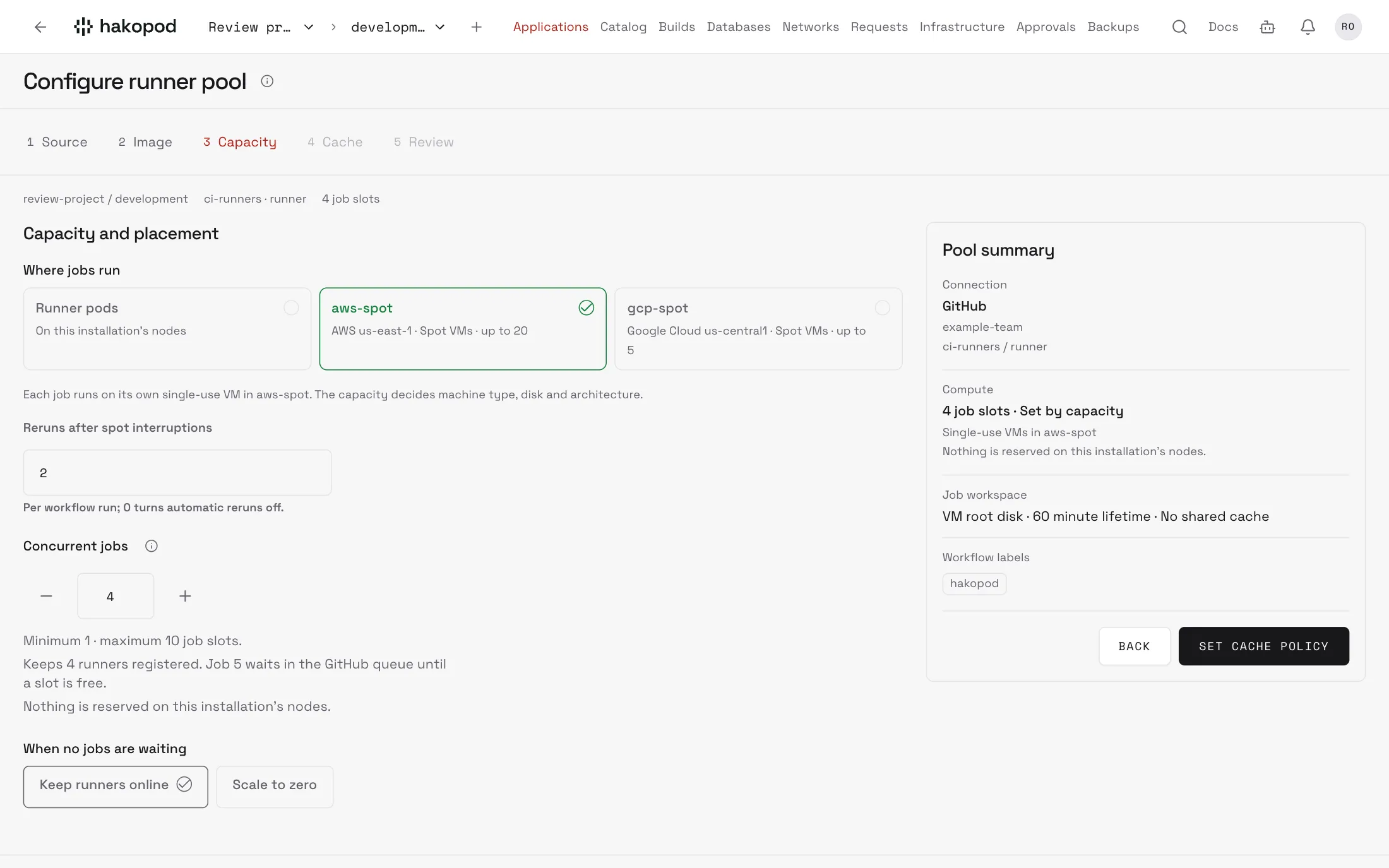
Set the label, the number of runners and their CPU and memory, or pick a cloud VM capacity. Add a scoped GitHub token.
Deploy the pool and put its label in runs-on.
 name: First runner job
 on: workflow_dispatch
 jobs:
   test:
-    runs-on: ubuntu-latest
+    runs-on: [hakopod]
     steps:
- run: echo 'Hello from my runner'You choose for each pool: as pods on your own servers, or on single-use VMs in your own cloud account. AWS EC2 Spot is released. Google Cloud and Azure are in preview and have been tested only against stand-in versions of their APIs, not real accounts.
Each job runs in its own pod inside gVisor, a sandbox between the job and your server's kernel. Your free CPU and memory set how many run at once.
Public Docker Hub images come from a mirror in your cluster. A cold PostgreSQL image pull takes about 15 seconds instead of 95.
Each job gets its own VM, deleted when the job ends. Docker runs natively. Your cloud quota sets how many run at once.
If the cloud takes back a Spot VM mid-job, Hakopod has GitHub rerun it, twice by default. Reruns repeat every failed job in the run, so keep deploys in a pool with reruns off.
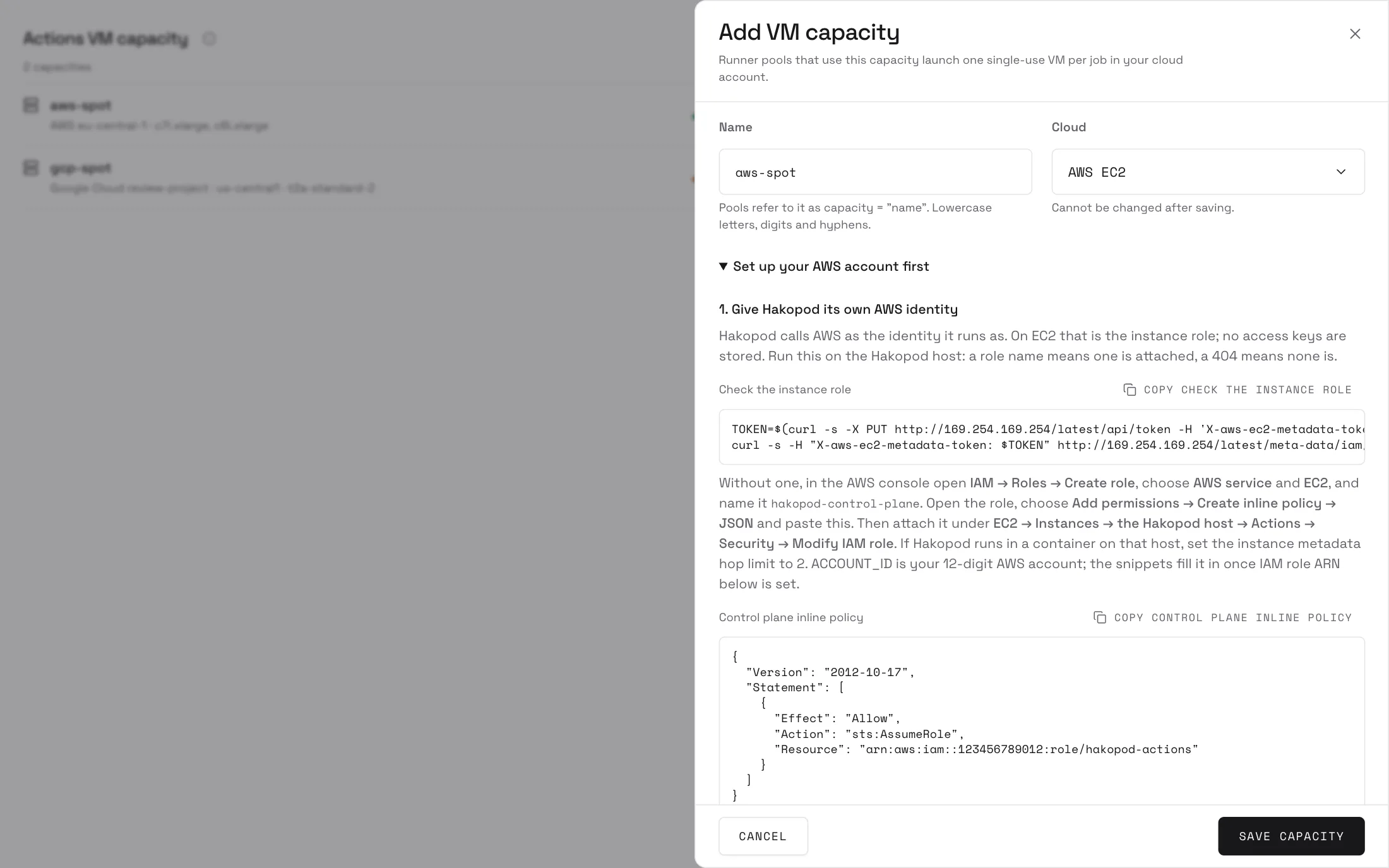
An admin connects a cloud account under Settings → Actions VM capacity, with setup steps to copy and a Test button, then picks it in the pool's Capacity step. Read the cloud VM setup guide
Each job runs alone on a fresh runner that is deleted afterwards, so nothing carries over from one job to the next. Hakopod stores no cloud keys, and runner VMs get no cloud credentials of their own.
Managed Actions is part of self-hosted Hakopod Pro and is in beta. Pro is $29 a month or $99 a year per installation. Pods run on servers you already have, and VM time is billed by your cloud provider to your own account.
On Hakopod Cloud it also needs a Cloud entitlement and an eligible sandbox node; creating an account doesn't turn it on.
See Hakopod Pro pricingGitHub Actions, on pods or cloud VMs. Hakopod also runs GitLab and Bitbucket runner pools on your servers, with a fixed number of runners. Cloud VMs and scale to zero are for GitHub pools only.
Yes, for GitHub pools. With Scale to zero, the pool starts runners when GitHub queues a matching job and stops them after the idle time you set. It needs GitHub's Workflow jobs webhook to reach Hakopod. You can keep some runners online for faster starts.
Yes. Docker actions, job containers, service containers and builds all work. On pods they use the runner's own Docker daemon inside the sandbox, without devices, kernel modules or nested VMs. On cloud VMs, Docker runs natively.
In the pool's Actions tab. Move through workflow runs, attempts and steps, then search, follow or download the log. Completed logs come from GitHub, so its permissions and retention apply.
Changes, scaling down and pausing let busy jobs finish first. Deleting the pool cancels running jobs.
No. Managed Actions gives your workflows runners. Creating a pool doesn't change the build provider Hakopod uses to deploy your applications.
Install the sandbox module, create a pool and change one runs-on line.